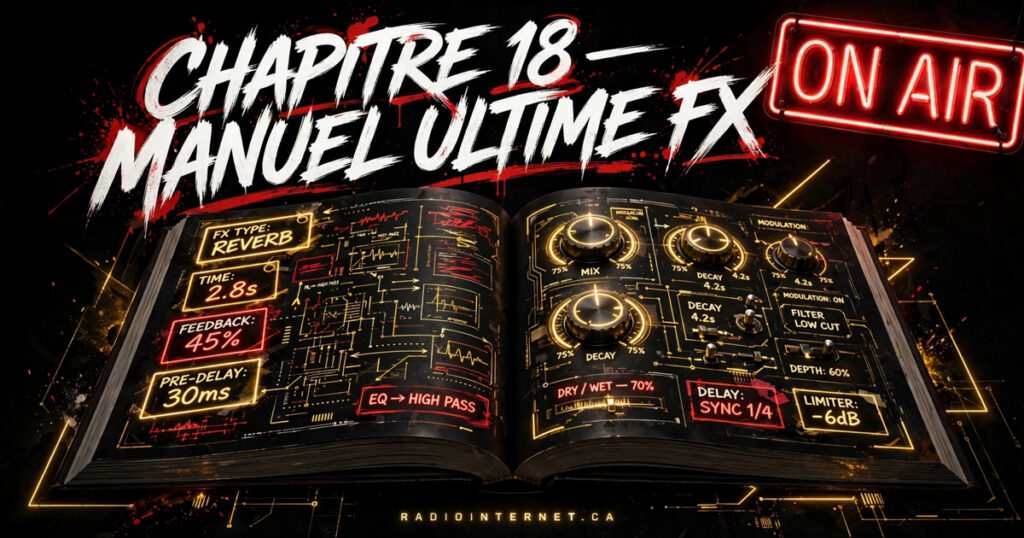
Chapter 18 – The Ultimate Manual of Tags, FX and Parameters in Suno 4.5 Pro
·Formation Suno Québec·Lawrence Morel
Introduction
Mastering Suno 4.5 Pro is not limited to knowing a handful of commands. To produce a professional, punchy sound that resembles you, you have to master the whole palette of tags, FX, commands and parameters available. This exhaustive, detailed guide gives you everything, from the basics to the advanced settings, with examples, scenarios, practical tips, and strategies to integrate your voice and get the best rendering.
This chapter opens the door to a universe where every detail counts, where you perfectly control every sound nuance and every emotion carried by the voice.
SECTION 1 – Vocal tags: The basis of control of your AI voice
<voice male='voice_morel_suno'><autotune 50%><glitch intensity=0.8>Moment of intense rupture.</glitch></autotune></voice>
SECTION 9 – Structure and text organization tags in Suno 4.5
9.1 Structure a long prompt for clarity
Tag
Function
Example
Tip
<section name='intro'>…</section>
Delimits a text section
<section name='intro'>Start of the track</section>
To organize a prompt into distinct parts
<verse number=X>
Marks a specific verse
<verse number=1>Verse 1</verse>
Useful to structure the narration
<chorus>
Marks a chorus
<chorus>Powerful chorus</chorus>
Clarifies the role of the parts in the track
<bridge>
Musical bridge
<bridge>Emotional bridge</bridge>
Indicates a musical change or rupture
SECTION 10 – Complete examples and prompt strategies for Suno 4.5 Pro
10.1 Complete trilingual prompt with tags, FX and personalized voice
<section name='intro'>
  <voice male='voice_morel_suno'><autotune 25%><reverb type='soft'>Hello, this is the intro in French.</reverb></autotune></voice>
</section>

<section name='verse1'>
  <voice male='voice_morel_suno'><autotune 30%>Here is the calm first verse.</autotune></voice>
</section>

<section name='chorus'>
  <voice female='voice_alys_suno'><autotune 70%><echo delay=400ms>Punchy chorus in English.</echo></autotune></voice>
</section>

<section name='bridge'>
  <voice male='voice_morel_suno'><autotune 50%><glitch intensity=0.7>Bridge in Spanish with glitch effect.</glitch></autotune></voice>
</section>

<section name='outro'>
  <voice female='voice_alys_suno'><delay ms=500><reverb type='long'>Soft, soothing outro.</reverb></delay></voice>
</section>
10.2 Optimization strategies
Break down the prompt into clearly identified sections.
Vary the voices according to the language or the emotion.
Adapt the FX for each part to reinforce the emotional impact.
Insert pauses and silences for a natural flow.
Test each part individually before final compilation.
Conclusion of Chapter 18
This ultra-detailed guide now gives you all the tools to use Suno 4.5 Pro with surgical precision. You master every tag, every FX, every parameter to sculpt the voice, shape the sound, and create spectacular productions.
The key: experiment, document your winning combos, and always push creativity. Suno 4.5 is a powerful engine — you are the pilot who decides the trajectory.
Morel is back, back, tabarnack! I’m coming back with the power, the raw truth. The sound is heavy, the vibe is pure. I come from the bottom of the bayou, roots in the beat, Every word weighs heavy, every rhyme is a cry. The flow is calm, but the fire is alive. We dance in the sky, we shout our freedom, The sound hits hard, the crowd inflamed. Morel is back, not here to play, It’s the truth, the street that makes it vibrate. The bridge rises, digital rupture, The sound transforms, electric spirit. The night goes out, the sound still resonates, Morel is back, until dawn, victory.
<3d audio pan=0.7/>
Cookies and advertising — you decide
This site can show Google ads (AdSense). To personalize and measure them, Google sets profiling cookies — only if you say yes. Without your yes, no advertising script or measurement tool is loaded: the site works the same, without personalized ads. Strictly necessary cookies (your choice itself, Chart votes, your account session) need no agreement: they make the site work. Read the privacy policy
CONTINUOUS RADIOHey TabarnackExplicit — 18+Continuous radio — tap ▶ to listen.Up next: Hi Everybody
Explicit — 18+
RadioInternet Assistant
My character
How to earn points
Start over
Start over: erases your character and your progression on THIS device only. This is final — you will have to earn your points again.
Versions
Progression through use: your real actions here move you up a version (more characters, colours, pieces) — never money, never a purchase. Each action counts once a day. Everything is kept in YOUR browser only: if you clear your browser data, the progression starts over with the starter kit. To get it back on another device: export your transfer document and import it over there (see the “Transfer your character” section below).
Its voice (your device’s own)
Transfer your character
To get your character and your progression back on another device or browser: export the document, keep it, then import it there. Everything is done by hand, by copy and paste — nothing is sent to the site: there is no automatic syncing, everything goes through this document. Importing REPLACES the character and the progression kept on this device.
Everything stays in YOUR browser: nothing is sent to the site. The character answers the site’s frequent questions with the assistant’s rules and facts, in the tone you give it.